How to Share Dashboards in Propel
Propel allows you to share interactive PR dashboards with your team and stakeholders, ensuring seamless collaboration and real-time insights.
Here's how to share a dashboard in Propel:
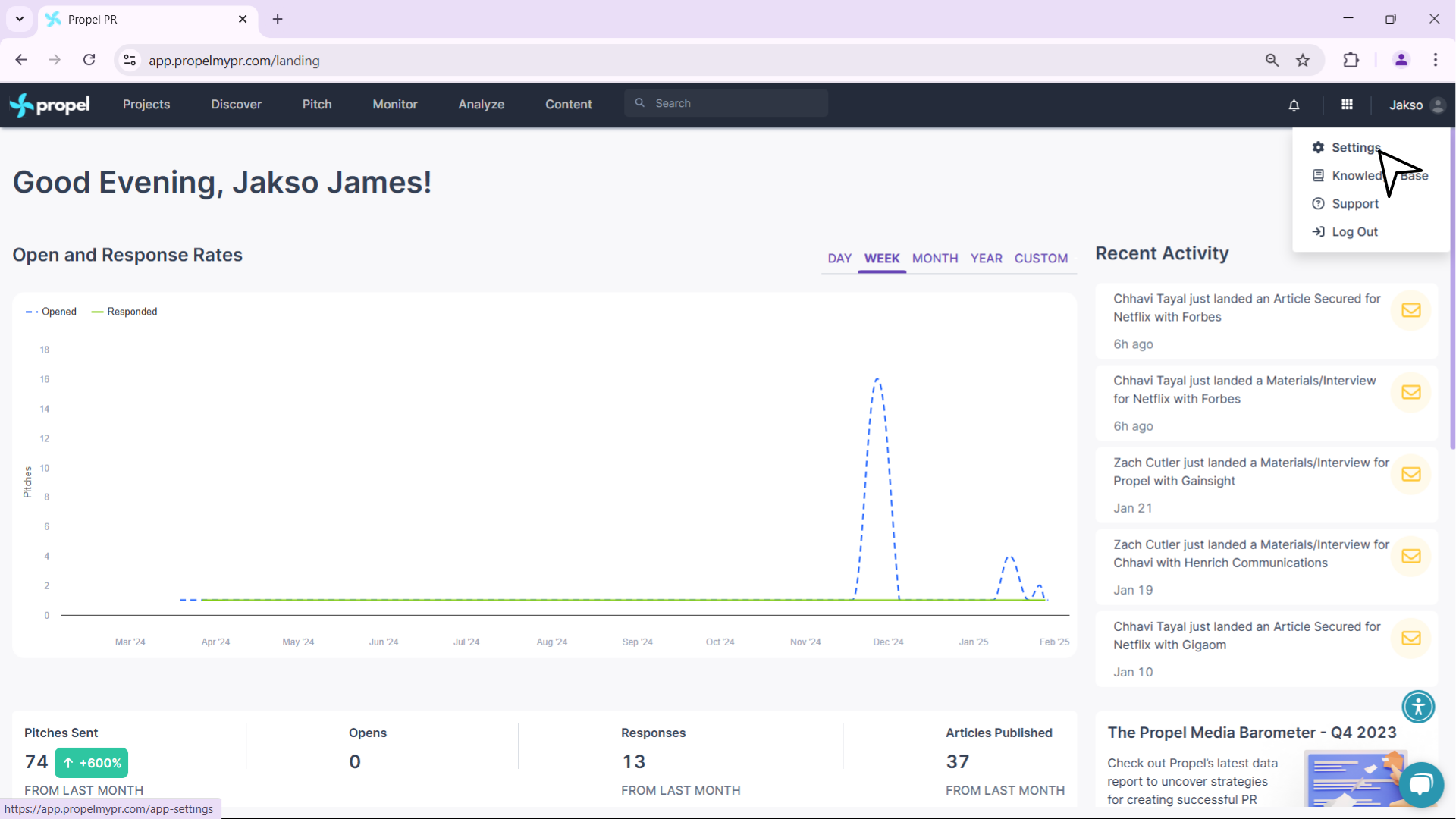
- Go to Profile Settings: Log in to your Propel account and click on your profile in the top right corner of the dashboard and then Settings.
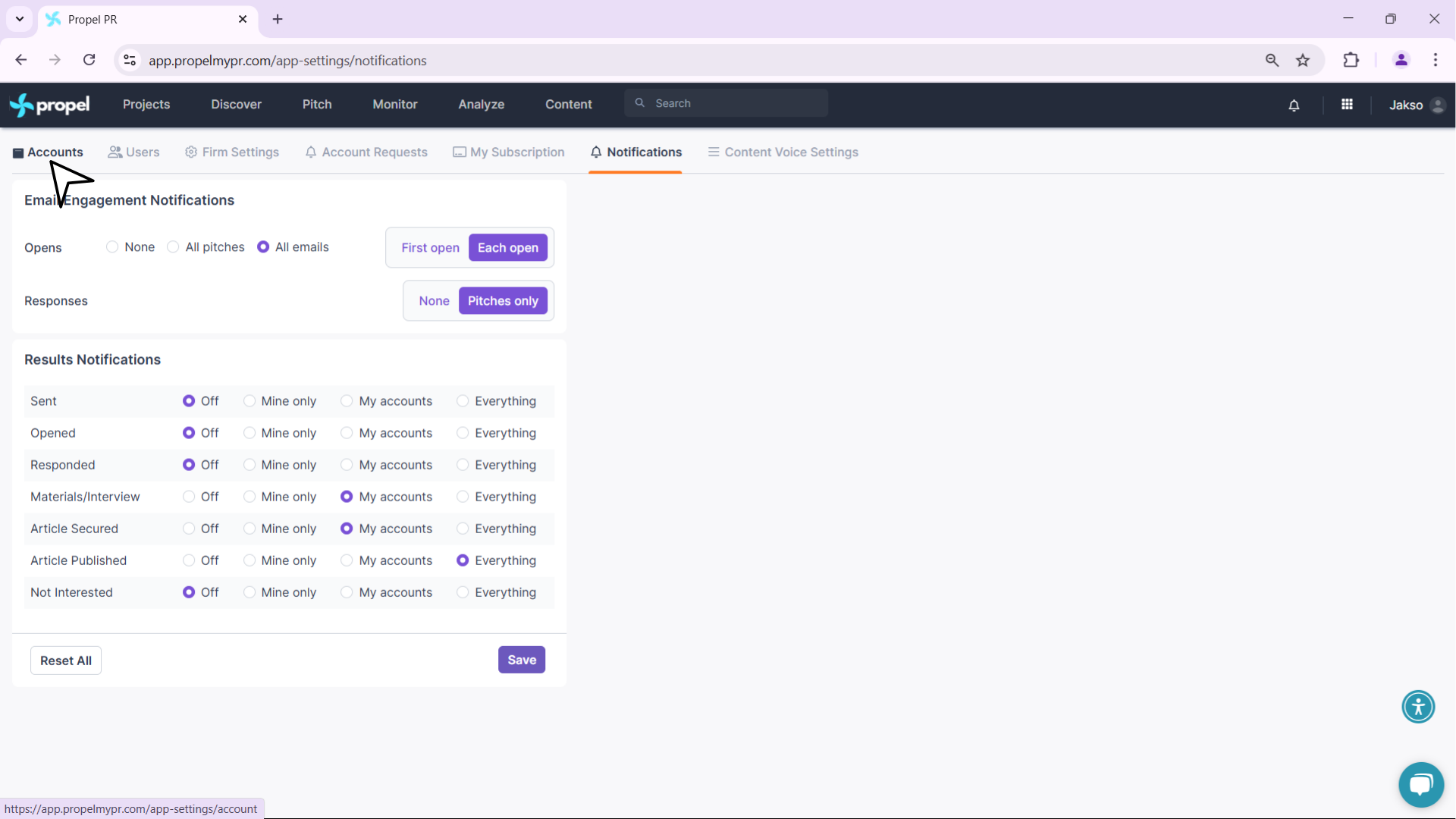
- Navigate to Accounts: In the settings menu, select Accounts to access account-related configurations.
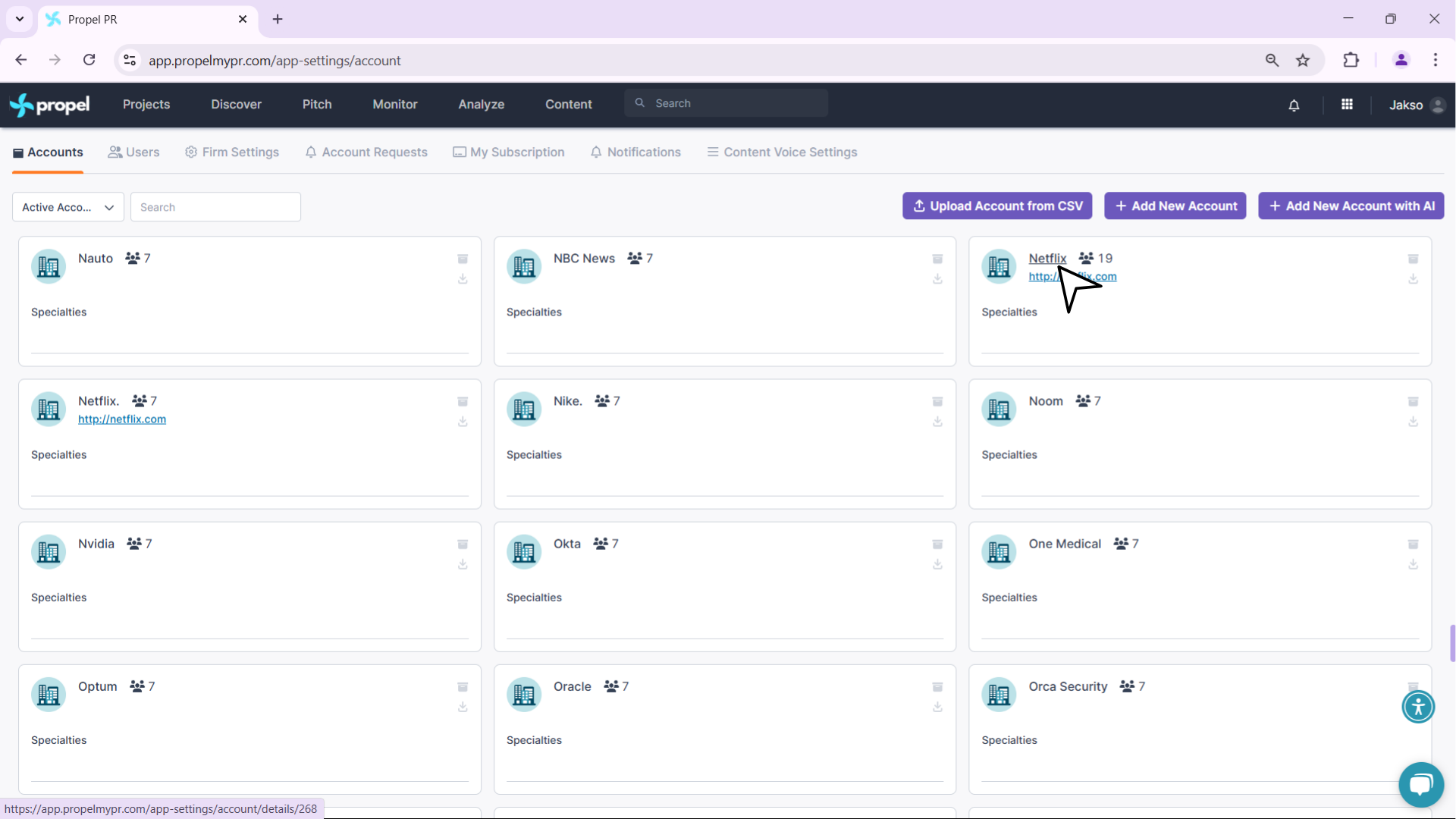
- Select the account whose dashboard you want to share.
- Go to Dashboard Sharing: Under the Basics section, locate the Dashboard Sharing option.
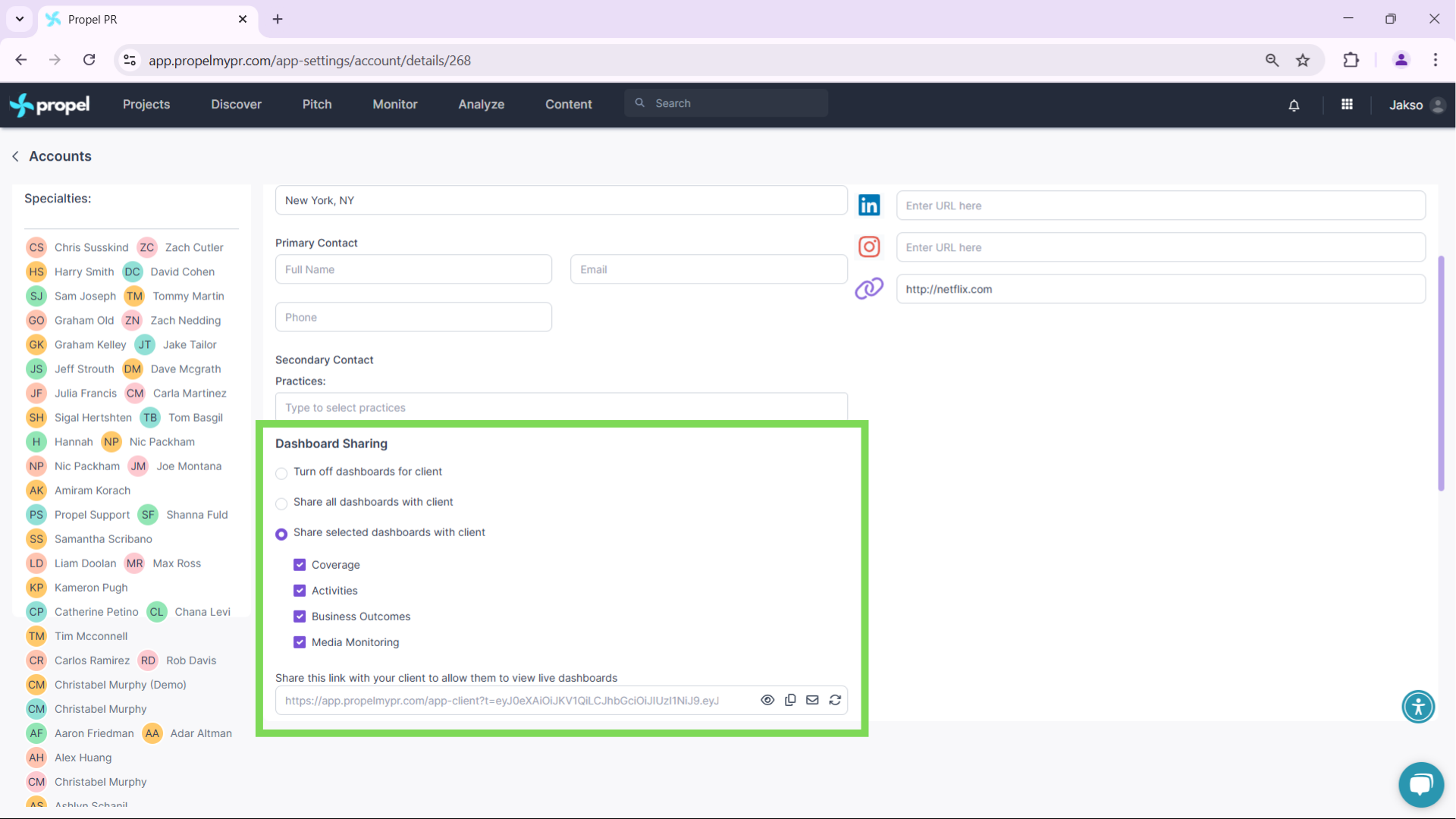
- Select Dashboards to Share: You can share any of the following dashboards:
- Coverage
- Activities
- Business Outcomes
- Media Monitoring
Check the boxes for the dashboards you’d like to share.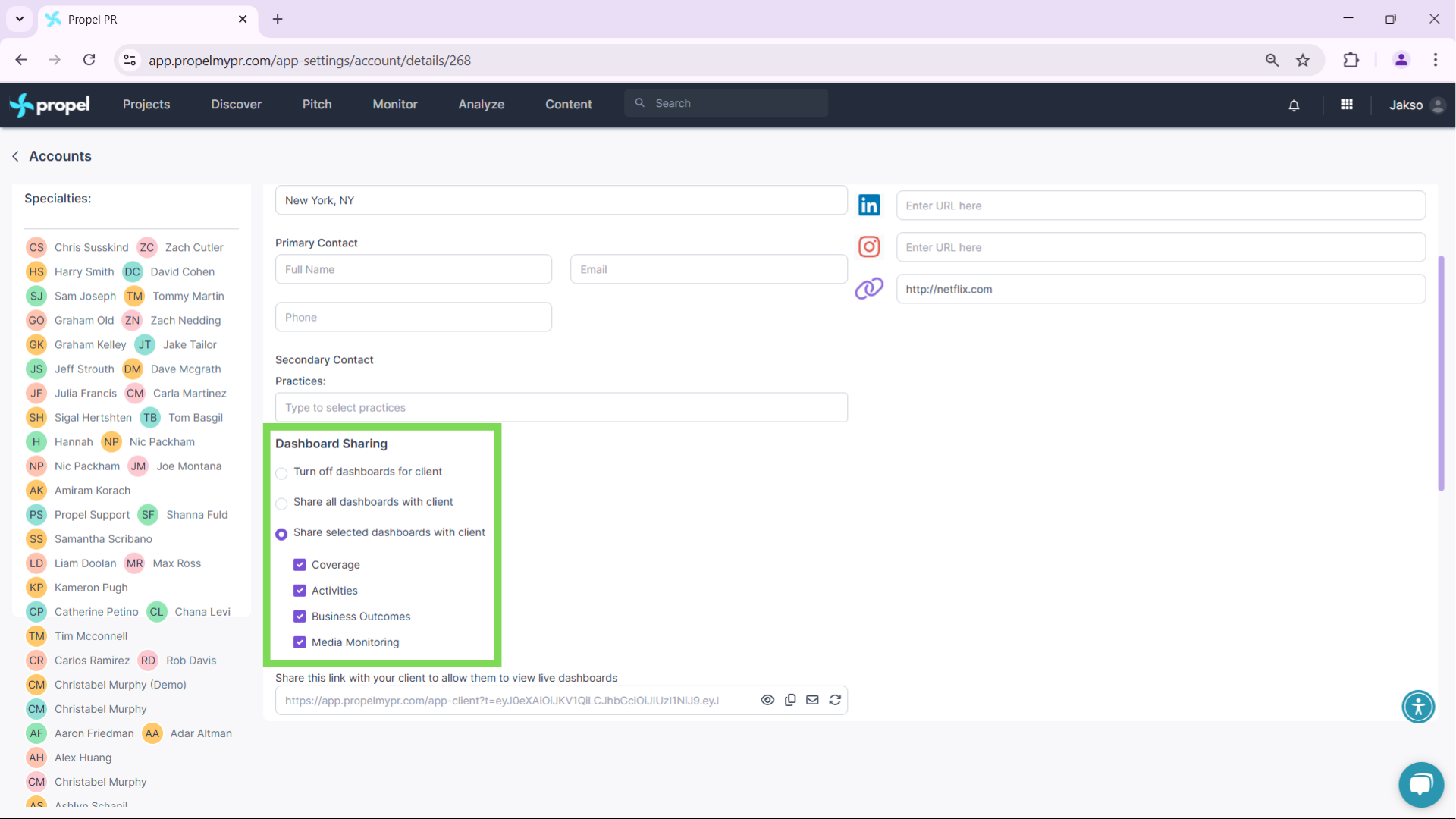
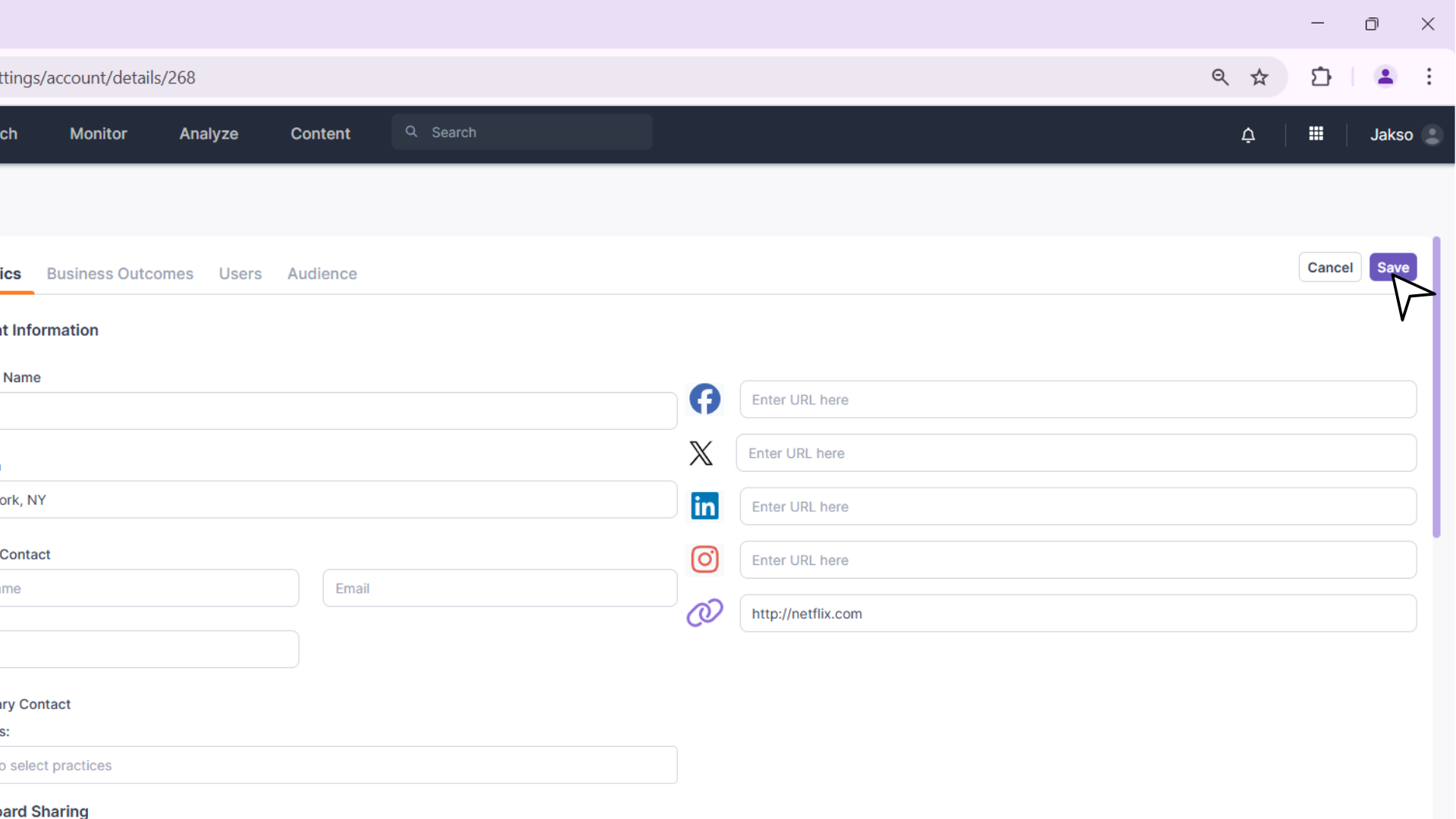
- Save and Generate Shareable Link: Click Save to confirm your selection. Once saved, you will receive a shareable link that allows external stakeholders to access the interactive dashboard.
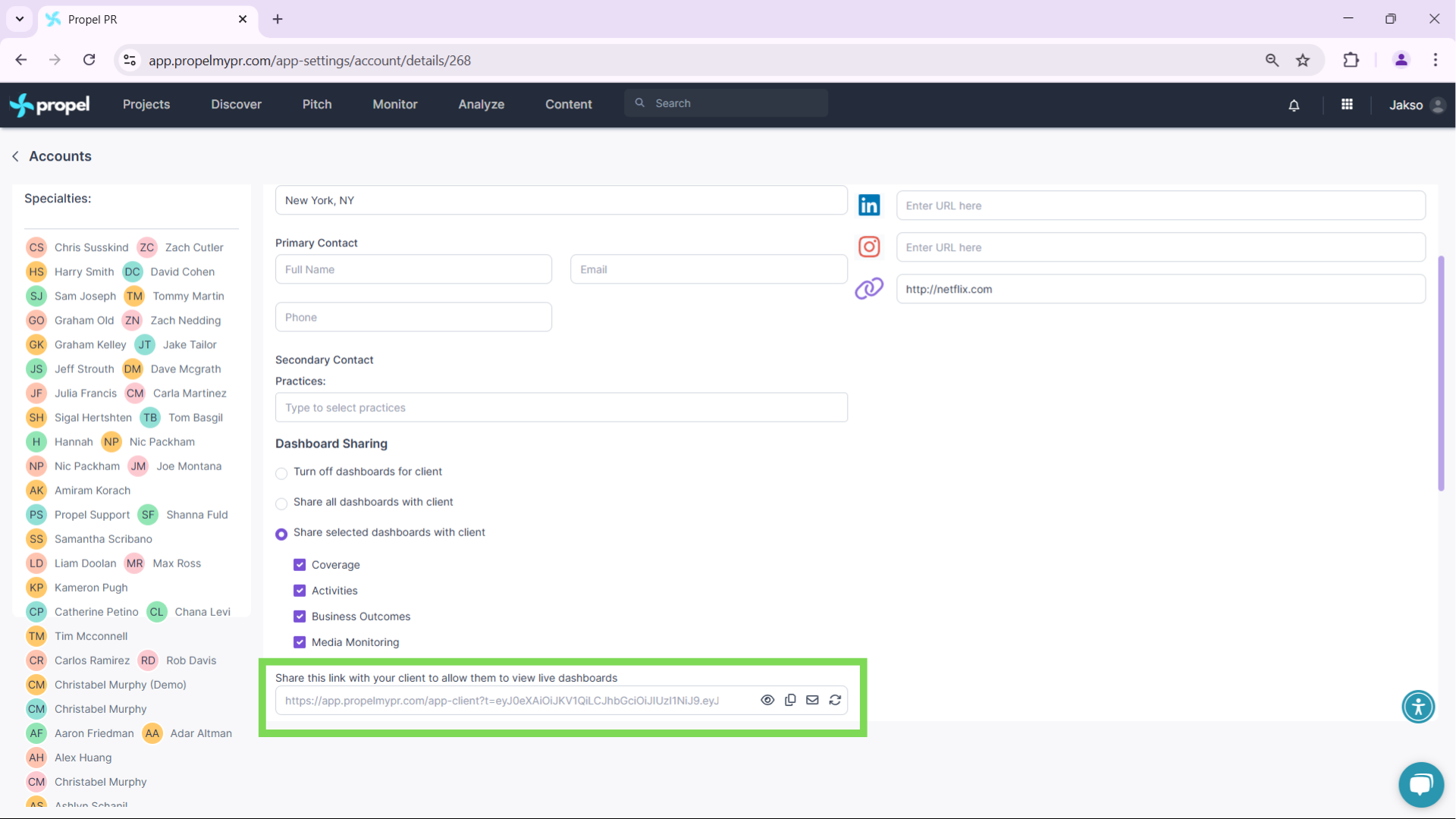
Sharing the dashboard link won't give access to your Propel account.
Now, you can easily share live PR insights with just a few clicks!
If you have any questions, feel free to reach out to support@propelmypr.com. 🚀